Windows Shortcuts for
Mac
Instantly make your MacOS keyboard behave like Windows. Windows Shortcuts for Mac remaps Ctrl+C, Ctrl+V, Alt+Tab, and more so you keep your muscle memory on macOS.
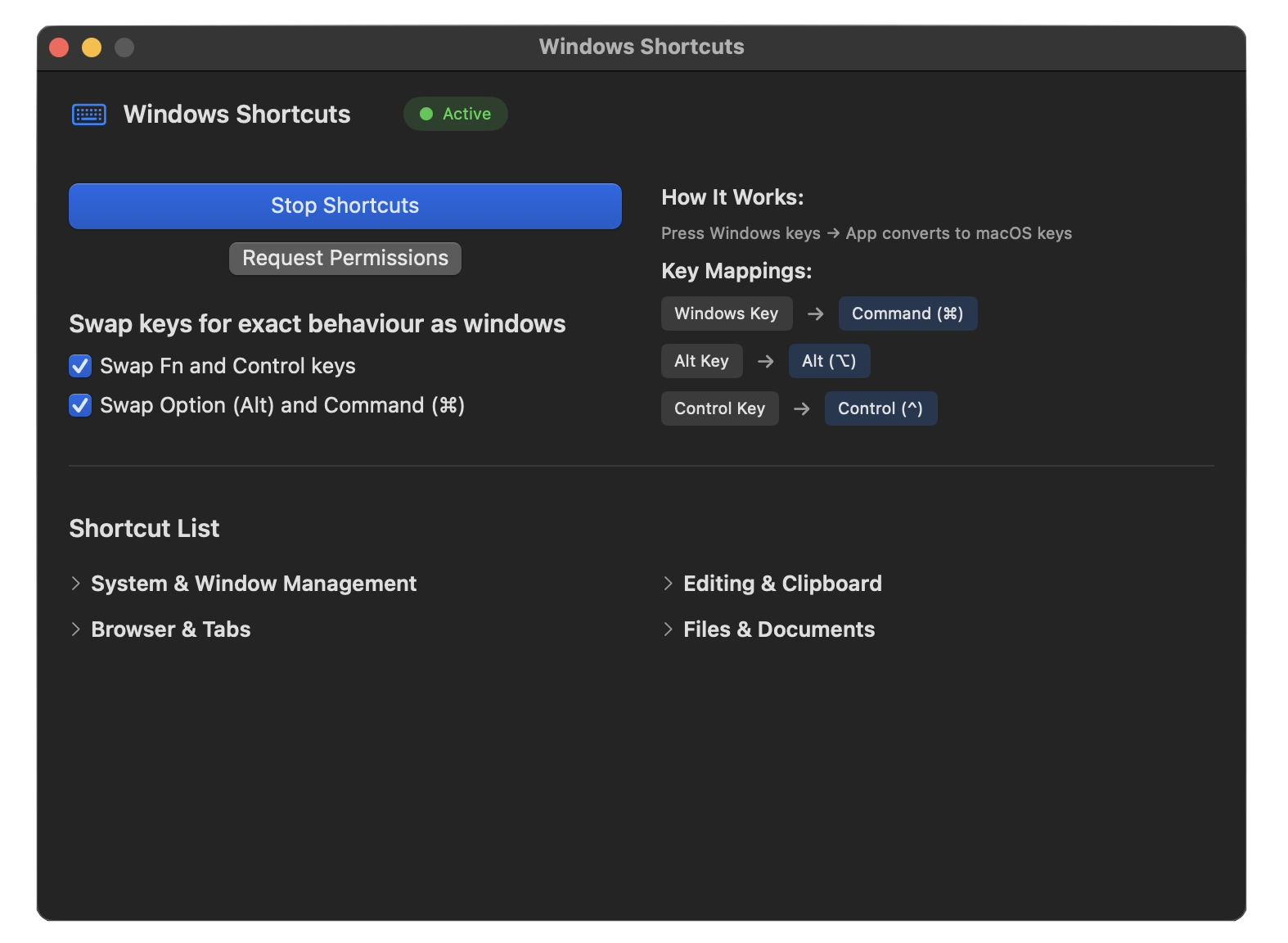
All Your Windows
Shortcuts
Navigate macOS like you're still on Windows.
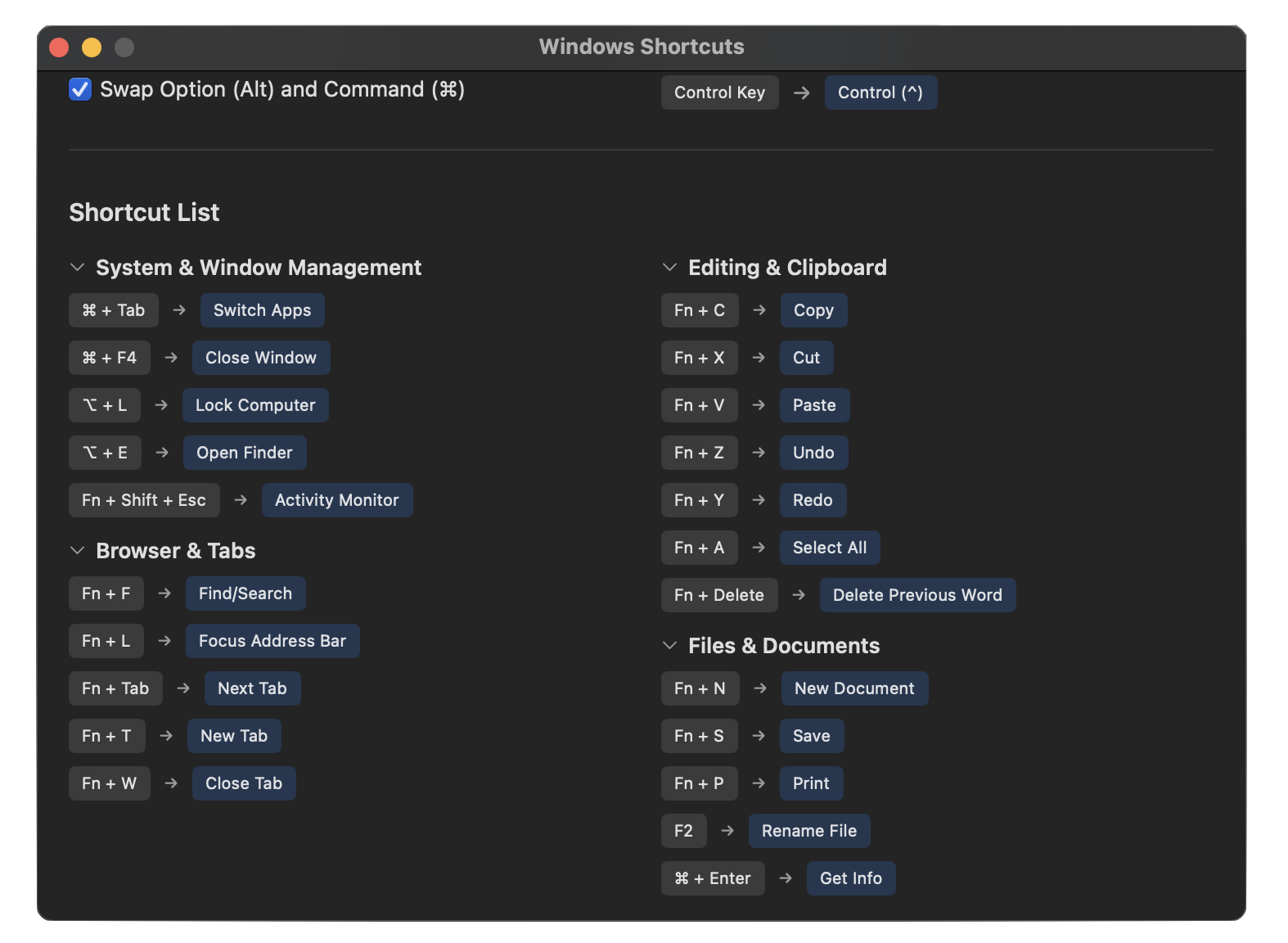
Copy, paste, and edit with Windows shortcuts.
Switch tabs and navigate browsers effortlessly.
Open, save, and manage files instantly.
Command Palette (fn+⇧+P), Settings (fn+,), Toggle comment (fn+/), Indent/Outdent, sidebar & AI panel toggles.
Exact Key Matching
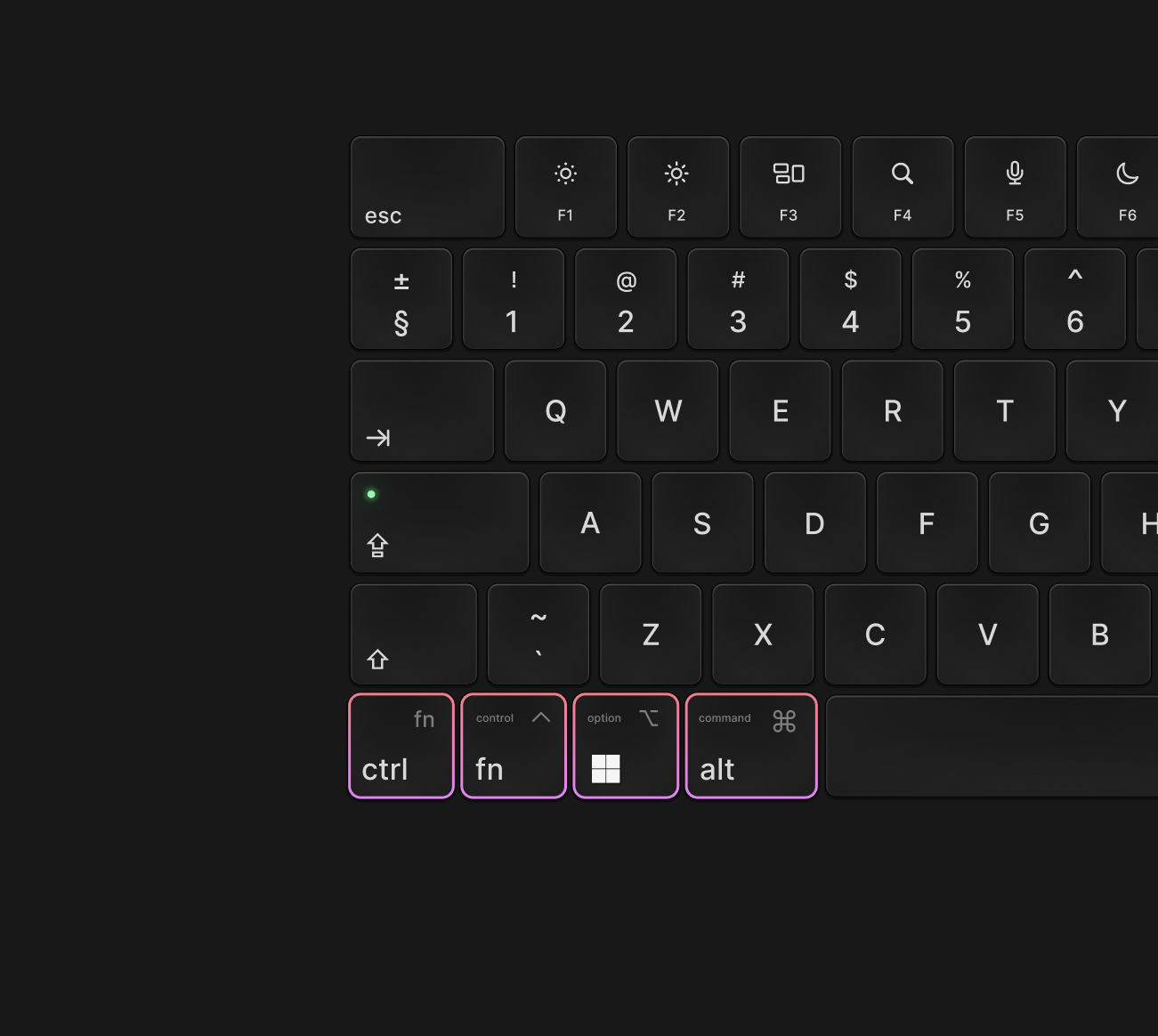
Your fingers dont have to learn a new OS. To achieve the exact behavior as Windows, swap the keys at the same place as Windows.
- Swap Fn key → Ctrl key
- Swap Option key → Cmd key
 Wave goodbye to
One-time payment. Lifetime access.
No subscriptions. Future updates included.
Core shortcuts, simple setup.
- Swap Fn/Ctrl
- Swap Option/Cmd
- Common Windows shortcuts
- Regular updates
Everything in Free, plus:
- Custom enable/disable shortcuts
- Full set of Windows shortcuts
- Editor shortcuts for Cursor & VS Code
- Terminal shortcuts
- Complex shortcuts like Show Desktop
- Future support & more
We'd Love to Hear
From You
Contact us for inquiries, support, or feedback. We're here to assist you every step of the way.
Send us your query
Frequently Asked Questions
1. How to setup for the first time?⌄
How to install the Windows shortcut for Mac.
This step ensures the app can fully remap your keys.
- Quit the app completely by pressing Cmd + Q.
- Uninstall it by dragging it to the trash.
- Install it again using the downloaded .dmg file.
- Launch the app and test it. If the Start/Stop button works, you’re good to go! 🎉
If it doesn't work, repeat the steps carefully.
Here's our product video with a full setup walkthrough:
If the video doesn't load or play, contact us and we'll help you get set up.
2. How to quit the app?⌄
Open the app from the top navbar of macOS (keyboard icon). Then pressCmd + Q to quit. Otherwise, it will continue running in the background.
3. Not working as expected?⌄
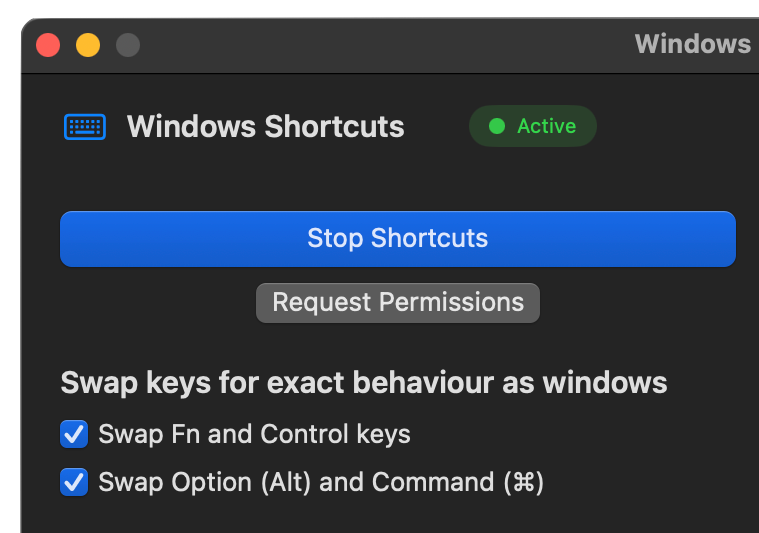
It could be because the keys are swapped by default. For example,fn + C should copy the selected text on your macOS keyboard. If you preferCtrl + C, simply unselect the corresponding option in the app.
4. Any other difficulty?⌄
Follow this step-by-step guide:
How to use Windows keyboard shortcuts on a Mac — step-by-step guide
5. Which shortcuts are implemented?⌄
System & Window Management
Browser & Tabs
Editing & Clipboard
Files & Documents